

Delt fotoalbum
Bryllupsfoto-app – Saml bryllupsfotos fra gæster via QR-kode
Hvordan virker en bryllupsapp, når gæsterne skal uploade fotos?
Weddie.app i tal — derfor stoler par på os
📸
600-800
Fotos per bryllup
Gennemsnitligt antal gæstefotos indsamlet ved ét bryllup
⚡
< 90s
Galleri-opsætning
Så lang tid tager det fra login til en færdig QR-kode
💎
HD
Høj billedkvalitet
Billeder bevarer deres høje kvalitet — skarpe minder i årevis
🎉
0
Apps at downloade
Gæster scanner QR-koden og tilføjer billeder
✨ Slut dig til tusindvis af par der har fanget uforglemmelige minder med Weddie.app
✨
Opsætning på 90 sekunder
Fra nul til et fungerende galleri på 90 sekunder
Vi tror ikke på komplicerede opsætninger. Weddie.app er designet, så du har et fungerende bryllupsgalleri hurtigere end du kan brygge en kop kaffe.
Log ind på Weddie
⏱ 15 sek
Log ind på weddie.app — hurtigt og uden lange formularer.
Opret dit galleri og tilpas
⏱ 30 sek
Giv dit bryllup et navn. Systemet genererer straks din unikke QR-kode.
Download og print QR-koden
⏱ 20 sek
Download din færdige QR-kode som billede. Sæt QR-standere på bordene eller print den på et kort ved indgangen.
Gæster scanner og uploader fotos
⏱ Til brylluppet
Til brylluppet scanner gæsterne QR-koden med kameraet og uploader billeder direkte til det fælles galleri. Ingen app nødvendig!
Download alt som ZIP
⏱ Efter brylluppet
Efter brylluppet logger du ind og downloader hele albummet med alle fotos og videoer i høj kvalitet.
Se demo-appen
Klik eller scan QR-kodenHvor mange fotos samler et fælles bryllupsalbum?
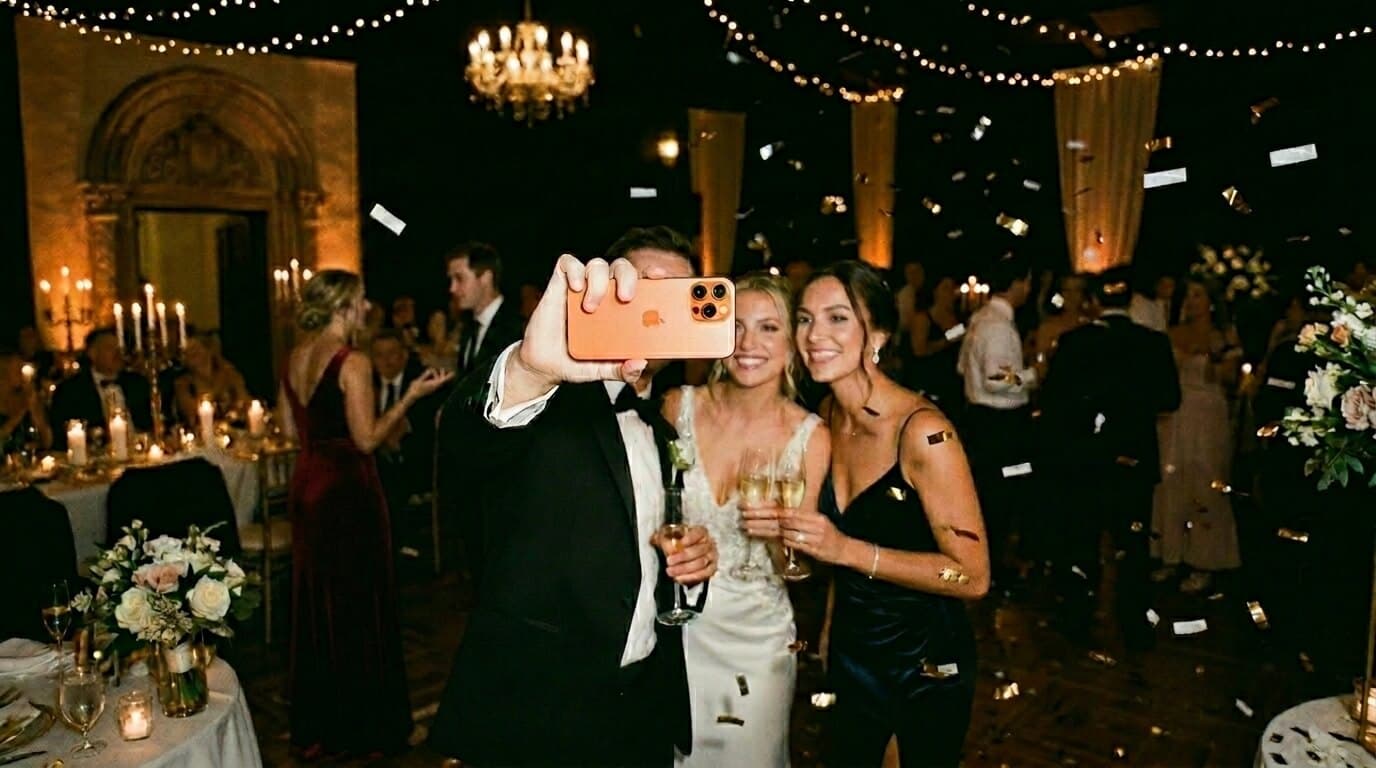
Alt hvad du har brug for i ét bryllupsgalleri
Weddie.app er ikke bare endnu et online album. Det er et komplet værktøj til at samle, gemme og dele dine bryllupsminder.
Billeder i høj kvalitet
Gæstebilleder bevarer den høje kvalitet — skarpe, detaljerede minder i mange år.
Ubegrænsede fotos
Gæster kan uploade så mange de vil. Et typisk bryllup samler 600-800 billeder!
Ingen app at installere
Gæster scanner QR-koden, browseren åbner. Ingen downloads, ingen konti. Selv bedstemor klarer det.
Bryllupsvideoer
Ikke kun fotos! Gæster kan uploade korte klip — brudevalsen, taler, spontane øjeblikke.
Galleri synligt for alle
Alle gæster ser hvad andre har uploadet. Det skaber fællesskab og opmuntrer til endnu flere billeder.
Download alt som ZIP
Efter brylluppet downloader du hele albummet som ZIP med alle fotos og videoer i høj kvalitet.
Hvorfor er en virtuel gæstebog bedre end WhatsApp?
Hvorfor en app KUN til bryllupper slår en generel event-app
Weddie.app er bygget specifikt til bryllupper. Ikke fødselsdage, ikke firmafester — udelukkende bryllupper. Og det gør en kæmpe forskel.
Funktion
Weddie 💒
Generel 🎪
Foto-bingo til brylluppet
Musikønsker til DJ'en
Fælles fotogalleri
Bryllupsprogram med ikoner
Personalisering 'Anna & Toms Bryllup'
Digitalt bryllupsmenu
Dedikeret bryllupssupport
📖 Læs mere: Hvorfor en ren bryllupsapp vinder hver gang
En detaljeret sammenligning af specialiserede bryllupsapps og generelle eventplatforme →
Hvordan får du gæsterne til at lægge fotos i bryllupsgalleriet?

Kan gæsterne se hinandens fotos i bryllupsgalleriet?

💕
De bedste bryllupsminder er dem, fotografen aldrig fangede
— derfor findes Weddie.app
🎲
+
📸
Foto-bingo + Galleri = Flere Minder
Weddie.app har indbygget foto-bingo som er integreret med fotogalleriet. Gæster løser sjove fotoopgaver, og hvert billede lander automatisk i det fælles galleri!
Gæsterne får en bingoplade
Hver gæst ser en plade med opgaver: 'Foto med brudeparret', 'Nogen græder af glæde', 'Bedstefar danser' og mere!
De tager billeder for at løse opgaver
Gæster tager billeder for at krydse opgaver af på pladen. Hvert billede havner automatisk i det fælles bryllupsgalleri.
Galleri fuld af spontane øjeblikke
Takket være bingo tager gæsterne billeder de ellers aldrig ville have taget. Du får unikke, følelsesladede øjeblikke fra alle hjørner af festlokalet!
Resultat: 2-3× flere fotos i bryllupsgalleriet
Par der aktiverer foto-bingo samler i gennemsnit 2-3 gange flere billeder end dem med kun galleri. Og det bedste — det er billeder fulde af følelser og spontane øjeblikke!
Ofte stillede spørgsmål om at dele bryllupsfotos
Du sætter blot QR-koder på bordene til brylluppet. Gæsterne scanner med mobilkameraet, en side åbner (ingen app skal hentes), og de kan lægge fotos op i jeres fælles galleri med det samme.
Der er ingen grænse! I gennemsnit samler par hundredvis af fotos fra deres gæster. Alle billeder gemmes i høj kvalitet.
Nej! Det er netop det bedste ved vores system. Gæsterne scanner en QR-kode, og galleriet åbner direkte i browseren. Det virker på alle smartphones, uden installation.
Ja! Det fælles galleri er tilgængeligt for alle gæster, der scanner QR-koden. Alle kan se og hente de billeder, de kan lide, så det bliver et rigtigt fælles album.
Efter brylluppet logger du blot ind på Weddie og downloader hele galleriet som en ZIP-fil. Alle fotos bevarer deres oprindelige kvalitet.
Weddie er en engangsbetaling for hele brylluppet – intet abonnement og ingen skjulte omkostninger. Fotodeling er med i alle pakker: Light dækker op til 80 gæster og giver 30 dage til at hente billederne, mens Gold hverken har grænse for gæster eller fotos og giver dig 365 dage.
Ja, absolut! En fotoboks giver 50-100 opstillede billeder, mens en app til fotodeling samler 600-800 spontane øjeblikke fra alle vinkler. Der er ingen leje at betale, ingen kø, og hver gæst bliver fotograf. Mange par bruger begge, men appen giver hver gang flere ægte minder.
Ja! De fleste gæster over 60 får scannet QR-koden i første forsøg. Det er lige så nemt som at åbne kameraet og holde det op mod koden. Og de yngre i familien elsker at hjælpe bedsteforældrene – det er en helt naturlig anledning til at få snakket på tværs af generationerne.
To gennemprøvede tips: 1) Bed DJ'en om at sige det – et enkelt »Del jeres billeder via QR-koden på bordet!« giver 40 % flere uploads. 2) Slå fotobingo til – det gør fotodelingen til et sjovt spil med opgaver som »Fang bedstefar på dansegulvet«.
Gå ikke glip af et eneste foto!
Opret din virtuelle bryllupsgæstebog og saml hundredvis af spontane fotos fra gæster til dit bryllup.